I don’t really mind using shit software on work devices. Yes it’s slow and inefficient, I spent half an hour today on Windows doing what would be a very short command on Linux. Fuck it, get paid the same. I just use Linux at home in my own time.
I’ll point out better software exists. If I don’t get support in changing it or allowed to change it, fuck it. It’s on them at that point.
Because I also have my normal phone as a backup for this purpose in case out in the field something happens to my work phone. And my personal phone is rooted.
The main problem as I see it is if I have to download authenticator onto my personal device because something has happened to my work device. That’s the only way I could see this being a problem since I use Graphene OS on my personal phone. Even then I would probably just use the authenticator on my work computer rather than going to that trouble.
Only if the company supports OTP methods for Entra login (logging in to M365 account).
But I’d say most don’t anymore, as there has been a push towards Microsoft Authenticators push-method for a while (where the website/app shows a number and you have to type it in to the authenticator), as it is a slightly safer method than OTP, and can be used passwordless.
It also made people ready for passkeys, as the authenticator supports easy activation off passkey on accounts that are saved with push-method (you pretty much just click a button in the app), and authenticator is easy to set up on the admin side if you require device bound and attestation for passkey.
It depends…. Your company IT department can choose what types of 2FA are available to use and Microsoft Authenticator is separate from OTP and other methods, and it is possible to restrict them.
That’s also yet another reason why I force the issue of a company phone as part of my equipment to do my job.
Work isn’t an excuse unless your work is trying to cut corners by having you use your personal phone instead of providing a work one. In which case they deserve to be taught this lesson for being cheap as fuck.
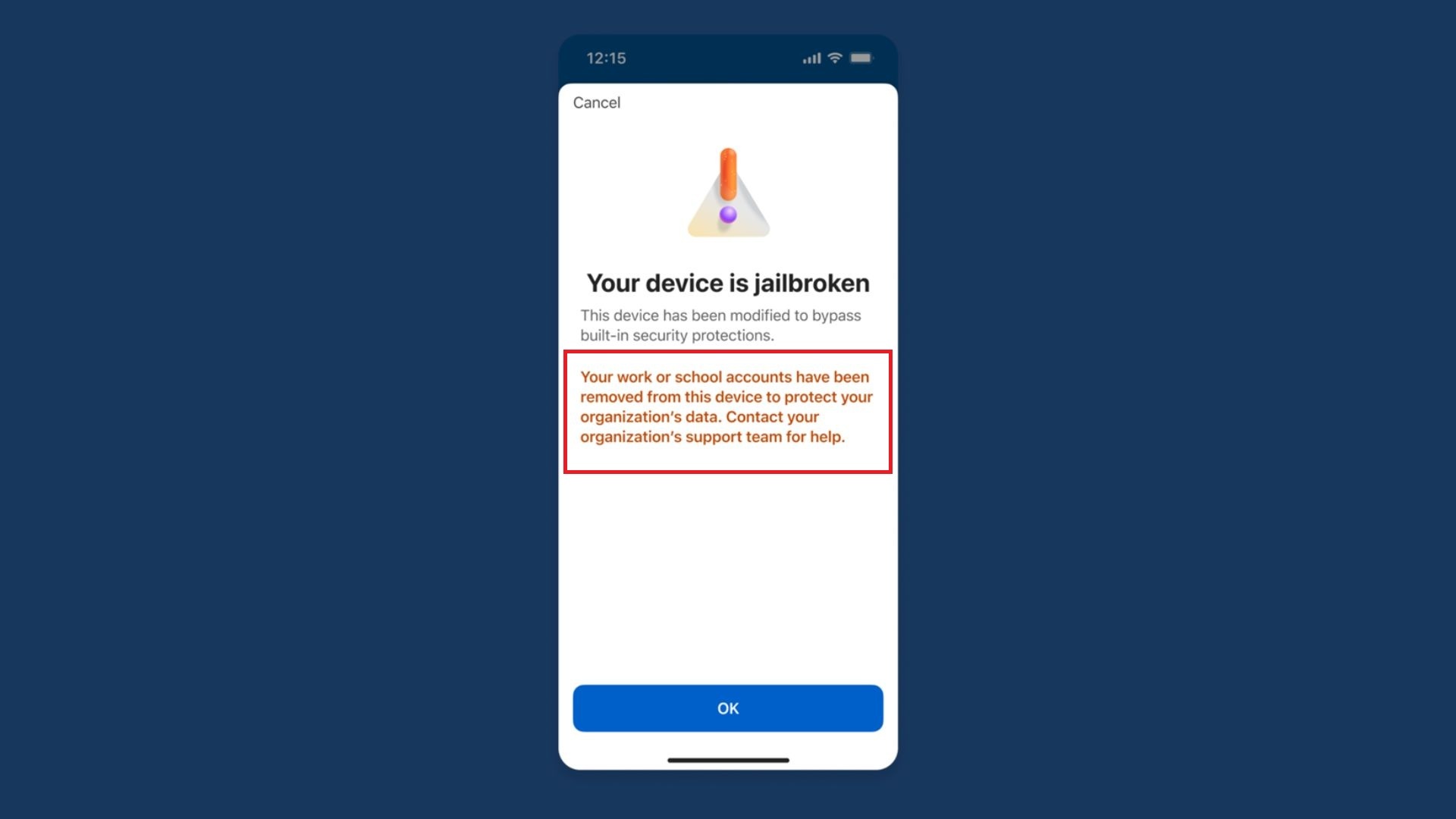
Your IT should be issuing you a phone handled by MDM, which should be locked down and not allow you to use a rooted or jailbroken device anyway.
Nope, the Microsoft authenticator is slightly different, and other authenticators won’t work. I just went through this with my IT dep. Microsoft authenticator will sometimes pop the numbers up on the computer and make you enter it in the app, not the other way around.
Some organizations require authenticator; they don’t just use it for MFA codes, it’s goes deeper than that.
Also, most large enterprise fall for the stupid Microsoft trap. They buy enterpise licensing in bulk (E3, E5, whatever) and bosses who have no brains will say “well, let’s use more microsoft products since they’re ‘free’”. The trap is that, yes, your enterprise license agreement includes entitlements to a lot of their stuff, but they nickle and dime you on stupid shit like the storage so you can keep the logging and telemetry data you typically need for security, troubleshooting and some audit requirements.
I can’t imagine ever using any of their shit beyond Office products. Their security software is crap compared to most offerings, they still seem to think that networks are bad so we should do as little as possible about them. Azure is just a completely uncontrollable money drain (by design) that is damn near impossible to secure properly once you give developers enough access to actually do their jobs.
I’ve been working in security for a long time now and they continue to be such a fucking liability and drain on money at every turn. If I ran the zoo, I would switch the entire enteprise to Linux and find just about any other collaboration suite to use.
Fuck Excel and fuck you if all you do with it is make lists. Fuck powerpoint and fuck every boss who is too dumb to read and only can accept information when it is spoon fed to them in a deck. Word is OK, but nobody reads anymore so what’s the point?
I had to use it for my work. They required MS authenticator. I think it’s bullshit and tried to export my 2fa to bitwarden. I couldn’t. And to add another 2fa .method I need to call support so I gave it up
They don’t let you use https://mysignins.microsoft.com/ to replace/add MFA methods? That site was very useful at my last employer, as I was switching phones often.
Probably. I suppose that I was lucky that I could manage these things myself. As we had only one local IT FTE, and I wouldn’t have known who to contact beyond that single resource. And might have hated life if I had needed someone else to manage this for me.
I had a yubikey as my hardware authentication, then a coworkers email got hacked so IT moved us all to Microsoft authenticator, so now I have a less secure login method LOL
This change is really more about enterprise use cases. If you take DLP seriously you need to make sure the integrity of the controls on work provided devices are intact. Authenticator isn’t managed by intune since users could use it for many things.
Nothing stops someone taking a photo of another screen. It’s not a panacea. It’s just one more hurdle.
Yup, I use Aegis, and found a strange little trick with Bitwarden Authenticator where I can import them into the main app (the Vaultwarden server). I know keeping all my power in one place defeats the purpose of 2FA but you know, I trust Vaultwarden, and myself to keep it secure, implicitly.


Why would you use microsoft Authenticator anyway? There are other options
Work
I don’t really mind using shit software on work devices. Yes it’s slow and inefficient, I spent half an hour today on Windows doing what would be a very short command on Linux. Fuck it, get paid the same. I just use Linux at home in my own time.
I’ll point out better software exists. If I don’t get support in changing it or allowed to change it, fuck it. It’s on them at that point.
You can use other authenticators. I use ente auth for my microsoft account
I can’t. The authenticator for my job was set up on my work device by my IT department.
If your work requires you to have a Microsoft Authenticator-compatible device, they should provide you with one.
Which would never be rooted or jailbroken in the first place so why even bring it up in this this context?
Because I also have my normal phone as a backup for this purpose in case out in the field something happens to my work phone. And my personal phone is rooted.
Sucks to have that. Have you tried asking IT if you could use a different one?
The main problem as I see it is if I have to download authenticator onto my personal device because something has happened to my work device. That’s the only way I could see this being a problem since I use Graphene OS on my personal phone. Even then I would probably just use the authenticator on my work computer rather than going to that trouble.
That sucks. I refused so they gave me a Yubikey instead.
I have a yubikey (two actually, one from a previous employer). New company won’t actually let me use it.
Depends on how your M365 tenant is configured. Both conditional access policies and authentication strengths can enforce the requirement
My work MS account requires MS authenticator specifically, can’t use another 2fa app
Only if the company supports OTP methods for Entra login (logging in to M365 account).
But I’d say most don’t anymore, as there has been a push towards Microsoft Authenticators push-method for a while (where the website/app shows a number and you have to type it in to the authenticator), as it is a slightly safer method than OTP, and can be used passwordless.
It also made people ready for passkeys, as the authenticator supports easy activation off passkey on accounts that are saved with push-method (you pretty much just click a button in the app), and authenticator is easy to set up on the admin side if you require device bound and attestation for passkey.
You don’t need it for work. You can use any authenticator.
It depends…. Your company IT department can choose what types of 2FA are available to use and Microsoft Authenticator is separate from OTP and other methods, and it is possible to restrict them.
That’s also yet another reason why I force the issue of a company phone as part of my equipment to do my job.
my company IT can provide a phone
no work software is ever touching a personal phone
and work phones get shut off at closing
Work isn’t an excuse unless your work is trying to cut corners by having you use your personal phone instead of providing a work one. In which case they deserve to be taught this lesson for being cheap as fuck.
Your IT should be issuing you a phone handled by MDM, which should be locked down and not allow you to use a rooted or jailbroken device anyway.
Nope, the Microsoft authenticator is slightly different, and other authenticators won’t work. I just went through this with my IT dep. Microsoft authenticator will sometimes pop the numbers up on the computer and make you enter it in the app, not the other way around.
IIRC if you use M365 (i.e. Outlook), you can only use their authenticator app for MFA. Happy to be corrected though.
M365 can be used with other 2fa apps. But organisations can force the use of Microsoft Authenticator
Aegis works fine, as long as your organization allows standards compliant authenticators.
Then stop working for retards who support Nazis
I like the energy. But you took that from a 4 to a 10 fast.
Some organizations require authenticator; they don’t just use it for MFA codes, it’s goes deeper than that.
Also, most large enterprise fall for the stupid Microsoft trap. They buy enterpise licensing in bulk (E3, E5, whatever) and bosses who have no brains will say “well, let’s use more microsoft products since they’re ‘free’”. The trap is that, yes, your enterprise license agreement includes entitlements to a lot of their stuff, but they nickle and dime you on stupid shit like the storage so you can keep the logging and telemetry data you typically need for security, troubleshooting and some audit requirements.
I can’t imagine ever using any of their shit beyond Office products. Their security software is crap compared to most offerings, they still seem to think that networks are bad so we should do as little as possible about them. Azure is just a completely uncontrollable money drain (by design) that is damn near impossible to secure properly once you give developers enough access to actually do their jobs.
I’ve been working in security for a long time now and they continue to be such a fucking liability and drain on money at every turn. If I ran the zoo, I would switch the entire enteprise to Linux and find just about any other collaboration suite to use.
Fuck Excel and fuck you if all you do with it is make lists. Fuck powerpoint and fuck every boss who is too dumb to read and only can accept information when it is spoon fed to them in a deck. Word is OK, but nobody reads anymore so what’s the point?
I had to use it for my work. They required MS authenticator. I think it’s bullshit and tried to export my 2fa to bitwarden. I couldn’t. And to add another 2fa .method I need to call support so I gave it up
deleted by creator
They don’t let you use https://mysignins.microsoft.com/ to replace/add MFA methods? That site was very useful at my last employer, as I was switching phones often.
Guessing IT can mandate which MFA options are available for users to choose
Probably. I suppose that I was lucky that I could manage these things myself. As we had only one local IT FTE, and I wouldn’t have known who to contact beyond that single resource. And might have hated life if I had needed someone else to manage this for me.
I had a yubikey as my hardware authentication, then a coworkers email got hacked so IT moved us all to Microsoft authenticator, so now I have a less secure login method LOL
When you are using your phone for your work you don’t really have the choice.
If it’s work provided sure. But if its your own device then fuck them, not installing that shit on my own device. Provide one for me
It’s not my phone, then. I don’t use my private devices for work.
BYOD they said
It never pays working for people who are cheap.
This change is really more about enterprise use cases. If you take DLP seriously you need to make sure the integrity of the controls on work provided devices are intact. Authenticator isn’t managed by intune since users could use it for many things.
Nothing stops someone taking a photo of another screen. It’s not a panacea. It’s just one more hurdle.
Yup, I use Aegis, and found a strange little trick with Bitwarden Authenticator where I can import them into the main app (the Vaultwarden server). I know keeping all my power in one place defeats the purpose of 2FA but you know, I trust Vaultwarden, and myself to keep it secure, implicitly.
people likely using workday as for a job probably, or any app that uses MS.
Ugh, fuck workday