

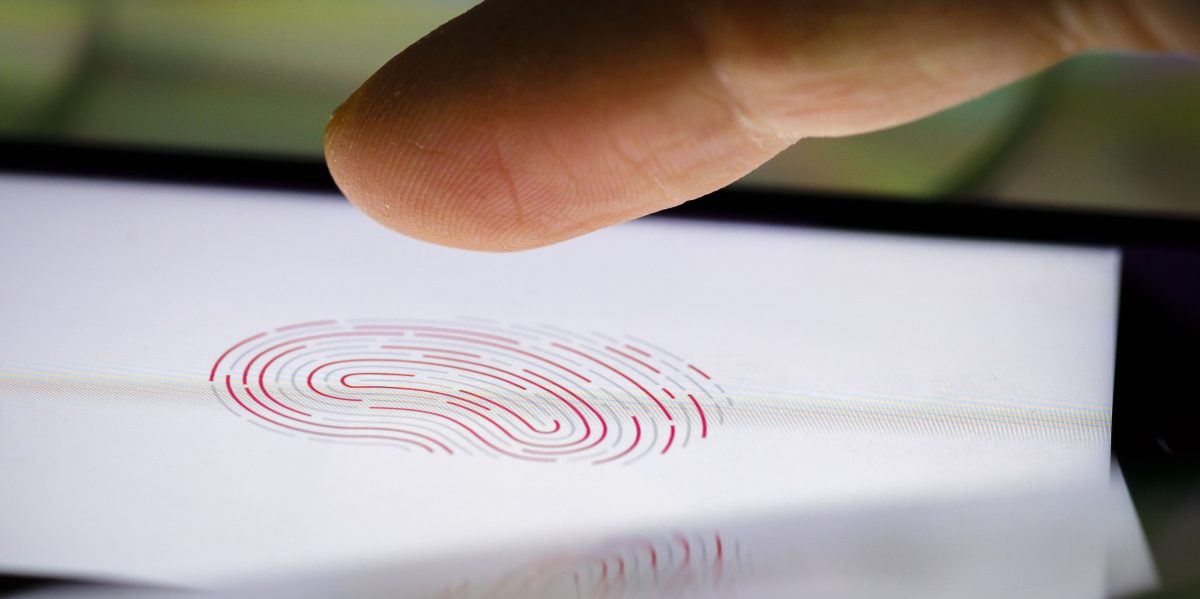
The recent federal raid on the home of Washington Post reporter Hannah Natanson isn’t merely an attack by the Trump administration on the free press. It’s also a warning to anyone with a smartphone.
Included in the search and seizure warrant for the raid on Natanson’s home is a section titled “Biometric Unlock,” which explicitly authorized law enforcement personnel to obtain Natanson’s phone and both hold the device in front of her face and to forcibly use her fingers to unlock it. In other words, a judge gave the FBI permission to attempt to bypass biometrics: the convenient shortcuts that let you unlock your phone by scanning your fingerprint or face.-
It is not clear if Natanson used biometric authentication on her devices, or if the law enforcement personnel attempted to use her face or fingers to unlock her devices. Natanson and the Washington Post did not respond to multiple requests for comment. The FBI declined to comment.
Or at the very least; turn your phone entirely off (shutdown) whenever you expect or encounter police contact.
Biometrics only work when the device is already running. Mobile devices are in their most locked down/secure state when ‘at rest’, ie shutdown.
In android; there is also a ‘lockdown’ mode you can quickly activate from the power off screen, that disables Biometrics until next unlock with a pin/pattern, but doesn’t fully shutdown so you can still quickly access things like the camera. This has to be explicitly enabled in settings first and will not offer much protection from various lockscreen bypass software available to law enforcement.
Also, don’t take your phone to protests. ACAB.
Wear clothing that can’t identify you. Hide tattoos and anything that might make you stand out. Get clothes from a free giveaway place, without cameras. Walk a bit differently if you need to.
Cover your face and cover surveillance cameras, or break them, or hack them (do the latter two only if you know what you’re doing).
Wear a body cam. Get bear and pepper spray. Pigs can fucking get it.
I’ve been debating buying a burner phone for protests, leaving my main phone elsewhere, and only powering on the burner when it’s needed. Probably the only way to bring a phone to a protest.
Buy an older pixel and install Graphene
Keep it off/in a faraday bag at all times, never turn it on at home. Go to elsewhere to set it up.
If they REALLY want you, you will get got.
But there’s no reason to make it easy.
100% it’s always a question of your resources vs theirs, but you’re dead on to make it harder.
I’ll just add to also turn it off, pull the SIM, and show in a Faraday bag on your way back too. If the recent reporting about ICE buying location data from ad networks shows anything, it’s that they are interested in a capability of following people to and from protests. Graphene should obviate this by disabling Google Play services by default anyway.
You should leave your regular phone at home, go to another place, power on your other device, speak your part in public, then travel another location and power off. This provides no consistent start or end location to work with for a particular device.
You can also buy faraday bags, if you want a phone available but not online. But it’s still there physically so burner would still be a good choice.
Just test it first. I got a faraday bag of Amazon and it didn’t work.
100%. I tested mine with calls and making sure the wifi and Bluetooth didn’t go through.
Bicycles don’t have license plates if you need a faster way.

For the clothing thing, it should be enough to buy from a thrift store. Just pay with cash to be safe. Although if you’re planning to do something that’ll make you of particular interest this may not be enough. Thrift stores do have cameras, and the police could theoretically look for a particular set of clothing being purchased. Its incredibly unlikely and would take a ridiculous amount of effort, but it is possible.
Hide tattoos and anything that might make you stand out.
so what do i do with my prosthetic limbs?
If you remove them police won’t know you have them
you accidentally a word there
Fixed!
In android; there is also a ‘lockdown’ mode you can quickly activate from the power off screen, that disables Biometrics until next unlock with a pin/pattern
On iOS, with a locked device, quickly press the lock button five times to do the same, it should bring up the power off/SOS screen, which you can dismiss.
This can also be done by holding down both power and volume up buttons for a few seconds.
TIL thanks!!!
You should always turn off / reboot your phone if you expect it to be potentially be taken
Simply being locked after being unlocked once leaves the phone in a less secure state than if it was fully off or just rebooted and never unlocked.
If you need your phone to record the interaction, then you might only get as far as locking it, but always strive to shut it down.
In android; there is also a ‘lockdown’ mode you can quickly activate from the power off screen, that disables Biometrics until next unlock with a pin/pattern, but doesn’t fully shutdown so you can still quickly access things like the camera. This has to be explicitly enabled in settings first and will not offer much protection from various lockscreen bypass software available to law enforcement.
2 things. Unless I accidentally enabled this setting, it’s on by default. And what do you mean by lockscreen bypass software. What would be the point of lockdown if its not effective against law enforcement trying to brute force your privacy?
it’s on by default
It may well be on by default now. I just know I had to enable it the last time I looked at this.
what do you mean by lockscreen bypass software
Tools such as those provided by Cellebrite and similar.
Lockdown mode is mainly to disable biometrics, to prevent someone on the street forcibly using them to unlock your device. It’s not going to stop an entire agency with more sophisticated tools.
Five clicks of the lock button on an iPhone will force a password or pin to enable biometrics again.
hold the device in front of her face and to forcibly use her fingers to unlock it. In other words, a judge gave the FBI permission to attempt to bypass biometrics
This isn’t bypassing biometrics. This is using biometrics as intended. Bypassing implies this was an unexpected side effect when every security researcher ever has warned that biometrics is intrinsically vulnerable and a terrible password substitute for this exact reason.
Use GrapheneOS so you can “unlock” your phone and enter the wipe code instead.
Even better, set it to 1234567890 or 00000000 or similar easy to guess pin, and change it to the length of your actual pin, now if someone tries to bruteforce your phone it will instantly wipe and you can make a case that it was the law enforcement who destroyed any “evidence” by their own actions if in comes up In court.
This sounds like a convenient way to have all your locally saved photos wiped by your kid
Always back up anything you don’t want to loose.
How should I protect the backups? Same story?
Your backups aren’t nearly as likely to be subject to an immediate civil forfiture as a phone is. Cops don’t need a judicial warrent to take your phone, but they do need one to search your home legally, and if you do your offsite backups in another country, they would need the cooperation of the local authorities of that country. Strong encryption can provide a relatively safe barrier for offsite backups.
Also, it’s possible to have some things that may only exist on your phone and not your server/backup system(easy biometric unlock for a password manager, or encrypted chat logs, to name a few examples).
Off site backups on some random cloud storage with client side encryption is likely best bet, one needs to have at least one off site backup anyways.
You mean you’re not having your photos automatically, immediately encrypted and backed up on remote servers? ente.io will do that for you and their free plan comes with 10G of storage which is quite a few pics.
These practices and tips are not for everyday people but for high targets and work devices
Actually, these tips are for every day people (just not people whose kids can get to their phones). High targets get their ram frozen with liquid nitrogen, their PSU spliced into a battery pack, and the entire system-state backed up for retries.
In this economy??!
Don’t they make a copy of the phone before they go about trying to unlock it?
This kind of security is only going to work against a careless or incompetent atta-- oh. I see…
That requires USB connection to even be possible with a locked phone.
Yes, and you can disable usb completely on graphene.
It also will not accept new USB connections while the screen is locked.
Not for state sponsored campaigns. They’ll cut the damn chips from your phone and send signals directly to the individual pins if they have to. They’ll freeze your ram into super cold state to make it nonvolatile. They’ll do some crazy shit, man.
that implies competence
Holy Christ, what are you guys doing on your phones to fuel this much paranoia? I have a constitutional right to privacy and i dont want my information/data (the very essence that makes me me) harvested and sold – for those reasons im opposed to most searches and i’ve never used biometrics. But the need to nuke my phone because a cop got it is so far from a necessity that I cant think of what im doing that I would need it.
Other than literally everything I think and feel you mean? I think it’s perfectly reasonable to not want to allow police or especially federal agents into my own head. My note taking apps, my password manager which links to all of my online accounts, and my entire web browsing and search history are all linked through my phone. Also signal and discord and lemmy, and on and on…
Exactly this.
Read about the Hawthorne effect: https://en.wikipedia.org/wiki/Hawthorne_effect and how people change their behaviors when they are being observed. Being free of observation is vital to being able to think your own thoughts without outside influence.
If the problem is with the usage framing the hypothetical adversary as a country’s law enforcement, pretend you live in a cyber North Korea and have a cellphone. The idea of an adversary is just a means of thinking about the problem. You want to build a system so that they can’t capture your flag (your flag being some digital information that you want private).
Whatever the opposite of TL;DR is:
It isn’t intended to be read as ‘do this to avoid law enforcement so you can do crimes’.
When thinking about security/privacy (same thing), you don’t know what kind of attack you may eventually have to defend against, maybe you have a partner who has decided to stalk you and so they screen read your PIN or a strong arm robbery where they’ll try to use your phone to access your bank.
Instead of trying to imagine every single possible scenario, you imagine one model scenario. In this model scenario, the adversary has every possible capability that is available and your goal is to keep your flag safe, or be able to pass a flag between two people without it being seen, or various other scenarios (which are themselves just model problems of types of system that you need to secure).
This hypothetical adversary, in order to have these capabilities in real life, would be the equivalent of a sovereign nation with unlimited funding and access to all technologies that are possible (and some that are only hypothetical). This description fits one country pretty well and so, as shorthand, people often just write ‘the feds’. I guess they could also write ‘Eve’ but that is a specific adversary in one kind of scenario and not the general Adversary.
In a situation where you are raided like the journalist, it may be worth nuking the phone. Consider the sources that could be exposed.
Having your phone available to law enforcement is the equivalent of forfeit your right to remain silent.
And more, once they have access, what is stopping them from planting false evidence? In this fascist fever that US is living… I would prefer to avoid the risks.
I have a constitutional right to privacy
Not anymore you don’t
I still have the right, but it’s being routinely violated and not upheld by a supreme court that’s clearly in the tank.
If a right can be violated without repercussion, you never actually had it to begin with. We’re seeing the same up in Canada with the Conservative’s use of the not-withstanding clause. Basically, “you have rights until they get in the way of what we’re doing”.
constitutional? never did. implicit? went away recently
If you’ve got nothing to hide you e got nothing to fear…?
It’s easier if you think of it like a car. Say you get arrested while in or around your car: doesn’t mean you did anything wrong or broke a law, just that you were arrested. Now there’s a million ways for cops to do the backflip jetpack gymnastics to get to search your car.
Once arrested, some stuff happens but importantly, a prosecutor starts building a case against you.
Maybe you took the recycling out and a crumpled up beer can is in the back seat, that’s an open container. Maybe you picked up some starting fluid for the cold mornings, they found it in the glove compartment in a paper bag, better do that blood test on you to rule out inhalant use, that would give them dwi. Got a significant amount of cash in the locked center console, that’s drug money. Maybe you keep the sporterized bring back hunting rifle your uncle gave you in the trunk, now you have an unregistered firearm in your possession, intent to menace? How will that allow upgrading the charges they’re already building against you? Who can say?
And remember, they’re going to use any method they can to deny you your property if you somehow end up beating the laundry list of charges. You’re losing the gun and cash no question. Civil asset forfeiture will see to that. If there’s anything wrong with your car that would keep it from passing inspection even if it had a valid inspection at the time of impound they can choose not to return it to you and instead sell it at auction for their own gain or just crush it.
Now what lines and spirals are drawn in the cloud chamber of your life when that cop particle strikes your phone instead of your car?
But I don’t have a self destruct button on my car. I don’t know anybody that does.
Of course you don’t. The point of my reply wasn’t to encourage you to rig your car to explode but to explain some of the reasons why it’s perfectly understandable to take every possible precaution about your phone if you think it’s possible cops will get it.
You suppose in your earlier reply that a persons unique actions must be the precursor to a level of paranoia around law enforcement that approaches destroying the phones contents. I was trying to illustrate that everyone should be extremely apprehensive about cops getting their phones, not just those who are engaged in some clandestine bullshit ala the old mad magazine marginalia.
Of course, just turning your phone off if you’ve sufficiently hardened the settings is enough for four or five years of safety on ios and at least a year or two on android.
Wasn’t there a legal dispute around this that was trying to get them with tampering/destruction of evidence? Not sure if it’s foolproof.
If you do use GrapheneOS, quickly restarting the device means your pin is required before biometrics unlock is available. As I understand it – in the U.S. – law enforcement can legally compel you to unlock your phone with biometrics, but not a pin. Not that you can trust law enforcement to be law abiding, but at least it’s a stronger case in court.
You don’t have to give them your password, and GrapheneOS has a convenient feature to turn off biometric unlock for only unlocking the phone, but still lets you use it in apps
They can prosecute you for that in many places as destruction of evidence.
(Which is weird because if they fail to convict you for whatever BS they are going for then it is the Goose meme of “evidence for what???”)
Wouldn’t power-off or lockdown mode also be “destruction of evidence”?
No because she evidence is stille their, they just don’t have access to it (legally if they use certain tools, apparently all phones outsider of the newest pixel and most grapheneOS are exploitable and unlockable).
So that is the reason, that they would kever have access tot it when erased, as opposed to possibly getting a court order for the data in the future or nowadays just paying for an unlock tool illegally (depending on location)
Another thing for an overhauled Constitution. One’s body and devices should be considered to be papers and effects.
Jesus fucking christ.
I don’t use my phone for anything other than directions, phone calls, and texting my wife. Partially because I’m not going to carry around something with tons of shit that can be used against me.
This is fucking insane.
It does not matter. The phone still uses you, no matter how much you use it.
Right, but it’s not going to contain anything that can be used against me by fascists.
For directions you can use a separate GPS navigation tool. Phone and text calls -> just get a dumb phone.
Just know that SMS and regular phone services are inherently insecure and to not use them for any conversations you wouldn’t want broadcasted to the whole world.
Fair point, what’s then the safest?
I don’t think there’s necessarily a safest, thats a moving target and everyone’s threat level is different. There’s a number of open source E2EE encrypted messaging apps though and lots of resources comparing their pros and cons. I can try to find you a link a bit later when I have more time if you’d like.
Sure, I’m always open to it. And even if it has no use for me, all the more use for other queers and demsocs :3
I’m not sure what demsoc means, but I’ve found these sites to be helpful.
https://www.privacyguides.org/en/real-time-communication/ https://eylenburg.github.io/im_comparison.htm
Simplex is probably the safest.
But I would say signal is very safe while being more convenient.
This is how I use them already. People plotting their government resistance through text terrify me.
Is there one that would work with my car’s system?
On iPhone say “Hey Siri, who’s phone is this?” to disable biometric unlock temporarily.
On Android press the power and volume up buttons to open the power off screen, then press “lock down”.
On the iPhone you can also press both the upper left and right button. It will enable that you can only log in with a password, even if you have Face ID/Touch ID.
You can also establish that if there are too many false attempts to log in, the phone will delete all data. I could imagine that if you kept most phone data on the phone itself, rather than in the cloud, this can be useful. E.g. insert the password wrongly multiple times.
And if you’re feeling really concerned, you can make a Faraday cage (preventing it from sending data altogether). Wrap a plastic bag around, then aluminium foil tightly without gaps, then plastic… repeat three times.
Alternatively, put it in a microwave. Or a stainless trash can with a tight lid, lining the inside with (optional: cardboard first, then…) plastic wrap, maybe more foil. Phone also foiled.
The only safe phone is a phone with a strong password thats in a powered down state. Otherwise there are tools to gain full access.
The only safe phone is a phone with no data.
Otherwise there will be tools to gain full access.
Without forgetting the good old rubber hose attack
FWIW I think the only way to keep confidential information is hosted in another country, encrypted, with no credentials (or even the name of the server) cached, all on open sources stacks, with the infrastructure provider different from the operating system provider different from the application provider and encryption provider
Is this convenient? No Is this accessible to the average user? No
I just think something at certain point went extremely wrong in history. We accepted control in exchange of convenience
Real world example
We accepted control at expense of convenience
I would have thought it would be more accurate to say we accepted convenience at the expense of privacy and security…
Yes, of course, it was a mistake, I reworded that sentece
I think the only way to keep confidential information is hosted in another country
that’s not good enough anymore. decades ago the US put enough pressure on switzerland to end the use of anonymous banking and set up what’s called SWIFT and KYC. do you really think putting datacenters in other countries will be enough protection like banks in switzerland “was”?
Of course not! For this reason you need different providers and jurisdictions for datacenters, operating systems, encryption providers.
It’s the very same principle tor works: sure you can do traffic analysis and be able to “unmask” a tor user… and for this reason tor deliberately sends traffic across 3 different jurisdictions. Is it still possible to force 3 different nodes to cooperate for the unmasking? Sure… but you need 3 jurisdictions to collaborate with that.
Also, fun fact: bank secrecy is still in effect for Swiss residents (regardless of the citizenship) and people resident outside of the US and EU. Because things are always more nuanced than they seem 🙂
Alright, I already “umm, ackshually’d” someone in this thread but this post in particular hit a nerve with me. The Tor security model is based on 3 hops but does not guarantee 3 different jurisdictions. Their circuit building only takes into account “jurisdiction” in the way we’re using it here if you use guard nodes or specific cases when you cannot access the network directly or look like you’re exiting from a Tor node.
That said, it’s still a very strong project and security model. And everything you said about spreading out your providers without a single point of failure (or pressure) applies.
I haven’t looked in the tor protocol for more than a decade but if routing was done based on traditional networking parameters (ttl distance, ping, etc) pretty sure you would end up all your nodes in your jurisdiction.
If you were using pure random, routing may involve only US (where there are a significant percentage of nodes)
Instead you can see that rarely there are two nodes in the same jurisdiction.
Years ago there were a config file mapping countries to jurisdictions and maybe that has been ditched but still I don’t buy that it is pure random or using traditional routing criteria
“secrecy”
all it takes is a subpoena from any jurisdiction, and that secrecy disappears, proving it never existed.
What about if you use the disable USB on lock setting?
that’s precisely why i never stopped using a password to access my phone.
You actually type “hunter2” in every time you want to unlock?
These days it has to be something like 1Hunt3r2!l} because enhanced security.
i like those password managers that make up word strings so it’s like hunter2,facepaint,ducks, now
now i just have to type in CatsTheButtholeCut every time
Why did you type *******? You could just type a made up pass to use as the example, like “hunter2”
Yep. The only time it ever feels like a legit issue is while driving, but nobody is supposed to be on their phone while driving in the first place, biometrics or not. It takes almost no time to pull over if absolutely necessary.
Instead of using your face or fingerprint to unlock it they could demand that you just type the password, could they not?
Good question. In the U.S. It violates your fifth amendment right not to testify against yourself/self-incriminate… unless a person doesn’t know that and voluntarily unlocks it.
From a legal perspective, no. Passwords would be a 5th amendment issue.
Nope, believe it or not, that’s treated entirely differently. Considered to be covered by the 5th amendment since you would be required to provide information that could be self-incriminating.
No.
There is no search warrant for the contents of your mind.
Of course “rubber hose decrypt” is always an option, but we’re not quite there yet.
Aren’t we?
Of course “rubber hose decrypt” is always an option, but we’re not quite there yet.
I really think we are.
“I don’t recall.”
I believe it gets a bit trickier because you can use your right to remain silent? They also can’t physically force you to speak the password but they can restrain you and unlock your phone by force.
The downside to always using a passcode is that if you ever type it in public, cameras can capture what you type. Some of Flock’s cameras specifically have been shown to automatically zoom in on phones as well, I’m sure they aren’t the only ones that do so.
Personally, I’d just prefer locking it (by holding volume up and the side button), when I’m in a situation where LE might unlawfully demand I unlock it.
What if you take your dick and use that on the fingerprint scanner, do you think the cops would make you whip it out
Probably, although they probably can’t force you to reveal it’s your dick that unlocks the phone.
What if I compromise and reveal that it’s a dick that unlocks it, but not whose?
deleted by creator
I use biometrics to access some of the apps on my phone. But my home screen requires a password to unlock.
Good advice, thanks.
How is current USA administration performing these clear gestapo level violations of amendments and everyone’s just like “okay”. ?!
Because there’s no resistance to follow. We have no leaders out there speaking against this. It’s a massive population of sheep being governed by wolves
Pedowolves
Here is a neat little trick if the gestapo tries to raid your phone:
Americans: wow, how neat and normal
Or better yet use GrapheneOS 2FA biometric + PIN + duress PIN + auto reboot:
- If someone spies on you unlocking your phone, they don’t get your encryption password
- If they figure out your PIN, they can’t unlock your phone without you physically being there, and your phone may reboot to the password unlock before they get it to you
- If they compel you to use biometrics, they can’t legally compel you to give them your PIN
- If they decide to start trying out common PINs and you set your duress PIN to one of them, then it wipes your phone
Or grapheneos but compartmentalize sensitive data to a profile where you use no fingerprints, only pins. Duress can be entered anywhere right? So if you’re being compromised , enter the duress pin.
Why would you use only PIN when you can use both?
What’s interesting is that the DC Circuit doesn’t allow authorities to force someone to unlock their device with biometrics. I’m assuming that Natanson’s home is not inside the DC Circuit.
It’s a legally unclear area right now whether or not authorities can force you to unlock your device with biometrics. As such, it’s better not to use them: https://decentproject.org/should-you-use-biometrics-on-your-phone
I don’t know what it is on android, but five quick presses of the primary button on iOS will put the phone into a mode where you must enter your password to unlock it.
Android has a feature you can turn on that adds “lockdown mode” as an option if you hold the power button, which requires a password. I just tried taking a screenshot, but I don’t think I can while in the power menu.
You can also just turn your phone off. Biometrics don’t work on a fresh boot.
You can just set it up so biometrics can’t unlock the phone but can be used to get into banking apps, password managers, etc. I’ve had this set up for a couple years and it is no less convenient than using the biometrics honestly.
It’s in: settings > screen lock and biometrics > unlock type set to PIN and then you can activate biometrics and turn off the slider that indicates unlock device.
Also pressing the primary and a volume key for a couple of seconds.
yeah that puts my phone in SOS mode, so maybe not that on Android
Why? Apple and Google will just unlock it for them later.
Yep, unless you are using grapheneOS, Lineage, Fairphone, Jolla, … you are screwed
Do you mean e/is? Fairphone is hardware, but uses either e/os or android
right, E/OS option
Yeah but you might as well make them work for it.
It might save the next guy because they don’t have time.
Didn’t apple go to war with the FBI over exactly this? Or did I miss where they changed their tune.
Yeah. Like 10 years ago. Not sure they would have the same stance now. MS just bent over backwards to give out bitlocker keys.
What are you basing this on? Anyone who can do research knows bitlocker-locked drives are recoverable with a Microsoft account, meaning MS hold the encryption keys and can hand them over to LE. That’s not a new thing. Apple offers similar functionality to make devices unlockable with an iCloud recovery option but it’s not mandatory. Do you have proof they’re ‘giving out’ encryption keys otherwise?