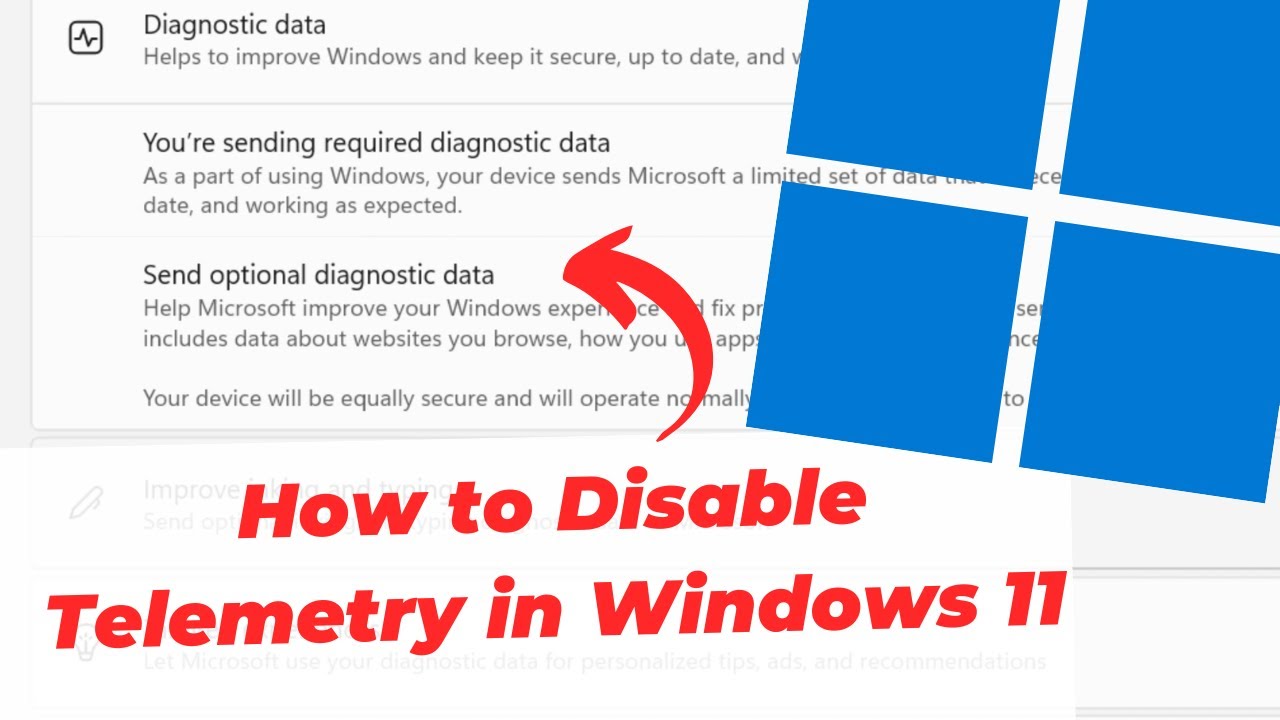
Boy, the good ole days are gone when it comes to Windows. I am posting just to help anybody that doesn’t know. This is like a creepy wire tap. If you are actually using Windows 11, make sure to disable and or reduce telemetry in Windows 11 (Privacy). If that actually helps, I am sure there are more ways they send data back but the video link is a simple how to for the telemetry. Here is more info: https://www.youtube.com/watch?v=Wtg_s1GQiMU
Microsoft … the poster child for Linux migration
It is so bad now, with all the ads and background services sucking up your RAM. I don’t think you can even use Windows 11 properly with 8GB of RAM.
I know for a fact you can run Windows 11 on 8GB of RAM. I just helped a friend install some software on his 8GB laptop. Now, did I spend five hours uninstalling so many things and snipping Windows down to size? Maybe. But it ran
I have 40 tabs open lol, I doubt it.
If my network connection goes down, I have difficulty using Windows with 64GB RAM.
Why on earth does losing your network connection make the OS unusable? Like, locks up the mouse and can’t use the keyboard unusable?
Ohhhh, that doesn’t make any sense. Sounds something like a “Dead Lock” situation.
Could be shortcuts referencing a network drive. Don’t know why this had notoriously caused Windows to freeze and stutter for so many years, but as soon as you lose connectivity it’ll cause chaos.
windows 11 idles at 8gb with only a few services in the background.
Dude I was playing Grounded (the original not the second) last week and my computer was so hot it was insane. I used to play that on my 6 year old laptop with no issues 3 year old gaming desktop shouldn’t struggle. In fact about a year ago it didn’t struggle. At all. Windows is just garbage.
I have never had problems on older Windows like Windows 7.
I miss 7. But my nastalgia lies with 2000
You can make Linux look like Windows XP, 7, or 10. Here’s a guide
I’m fine with the way Mint looks but that’s cool to know
It’s been all downhill since 98
Installed CachyOS two weeks back and I don’t think I’m ever going back to windows on a personal machine. It’s refreshing to not see copilot or one drive pop ups on every third click. I missed that clean OS feel for long.
Honestly I’m running Windows 11 Enterprise and I haven’t seen any of the shit people complain about. I have Telemetry turned off via a GPO (something Pro and Home don’t get), I didn’t get copilot shoved down my throat and my updates don’t crash my system
How much RAM?
16GB, I have other systems on 8GB that are also fine.
But do you run it comfortably with 40 tabs open with just 8gb?..
Hahaha. That’s your own damn fault. Close some tabs, and use bookmarks.
Think again. No it isn’t, I could do that on Linux. That is Windows fault.
I also run Win11 with 8GB of ram just fine. To be fair though, its a virtual machine and not my daily driver. But the main reason it works is because I used an Ameliorated package that basically strips down the OS to what it should be. (ameliorated.io) I highly recommend it.
I bailed as soon as they introduced recall.
Haven’t used it Sense and it’s amazing how much freedom and no bloat you have and never realized it.
And they even top the contributions chart!
Gotta love them for all they do for us, but man… they sure hate their users 🤣
how to disable telemetry in windows 11
Install Linux
I’m gonna piggyback off of this to remind everyone to install OpenSnitch and go through the iinitial and super-tedious approve/deny outgoing connections.
there’s stuff on linux that, despite being perfectly offline capable and having turned off everything related to clown sync and remote check this and that, still phones home.
I mean most things are just timeserver checks or poking GitHub/flathub/repo servers. Not something you can fully prevent if you value seamless functionality. Fedora has an opt out telemetry ping just to see how many people are using each version, but it comes part of when you run an update and ping their servers for that anyways. If you want it all removed and still have good functionality I really recommend secureblue
Like auto updates? Usage survey? Or something Canonical?
I’m not that interested to find out what exactly it’s doing. it suffices that I was explicit about fuck no don’t do none of that and it’s still outbound.
like the latest one I blocked is QownNotes. everything related to online is turned off yet it still wants to connect to api.qownnotes.com.
First line on their website:
QOwnNotes - Free open source plain-text file markdown note-taking with Nextcloud / ownCloud integration
Dude, a fucking “cloud notepad” is phoning home… Check what you’re installing.
Ha. Beat me to it!
Windows deleted all my files that weren’t even in one drive this week when one drive had a melt down and killed itself. I stared in disbelief, thanked the heavens I just backed all that shit up recently, laughed, and installed Linux. Didn’t even bother to see if I could recover anything. I’ve been meaning to switch for a long time and just haven’t. Windows made it pretty fucking easy.
Linux Mint is surprisingly good. I have a extra Windows 11 PC with RAID, there is no way I can mess around and try to install Linux on it. It would for sure mess up all of my storage.
You could install it on an m.2 drive.
The computer is from 2009 lol and I’m not buying an adapter. I could get an external hard drive though or a big USB for a live version.
Fair
Happened to me a while ago, and killed the Linux partition. Between trying to restore everything figure might as week fully jump ship, plus was a good excuse to try a new distro.
Just spyware doing spyware things here.
pulls out typewriter
pulls out telegraph
DEAR MICROSOFT - STOP (FULL STOP)
edit: Dear Microslop
Popped a windows 11 laptop behind a firewall for toubleshooting, it logs all traffic that leaves that subnet.
Instantly flooded my logs with all kinds of bullshit.
ITT: a lot of people trying really hard to justify their use cases for Windows.
Mine is simple: I’m used to it and my favorite games I play only run on linux with specific modifications that I have no time to figure out on a system I am unfamiliar with.
Time is the constraint. As a teen I would have simply taken the time to figure it all out.
Now as a family dad with very limited time I simply need something that works for me instantly out of the box with functionality that is at least familiar. Not just for the OS but any software on it.
Bazzite is pretty good for gaming. Most things I’ve thrown at it have “just worked”. The games that tend not to run on Linux are live-service games requiring kernel-level anti-cheat. I don’t play any of those, so it’s not an issue to me, but I know it is a deal breaker for some. I had one game that required me to use a different version of Proton than the one that came pre-installed, and that was as simple as installing the flatpak for it, then selecting it in the game’s configuration menu in Steam.
Mine are star citizen and path of exile 2
Those have KLA?
Do you really need those games?
Is this a joke, sarcasm or the dumbest sincere question I have read this year?
deleted by creator
Well, there is no need to justify a decision for personal use. But keep in mind there is plenty of corp software that literally can not run on Linux. Believe me, I tried.
Shove it in VMs?
The Windows 11 cope…
Look, I hate Windows; literally the only device I have that isn’t Linux is my work laptop, and I purposefully leave it at the office. But this thread isn’t the place to bring up Windows hate. Someone’s trying to do a good thing with what they have, and, idk, doesn’t seem the time or place to get converts ig.
I got a new laptop for work, i could use linux for it, everything i do is within a browser, but it took me an hour tops to set up in windows 11 (well maybe a couple while i fiddled with settings, fuck you windows 11), jumping over to linux seems like an impossible task for me, who has never done it before
but i am planning to get a linux os running on my old laptop (8gb ram) that i use for torrents and streaming (browsers), i ran proton vpn. Give me a recommendation, maybe a tutorial i can follow, if you’re so determined, give me the nudge i need :p
There are plenty of options, which is great, but also a cause of choice paralysis. Linux mint. Just start with Linux mint. It works. You can try it on a “live USB” before installing completely.
Cheers for the encouragement comrade
There are so many options, but since I assume it would be your first linux, I’d start with something that just works at once and does everything you say you need in your comment. Zorin OS will just work at once (I might not prefer this dist myself, but I’m 20 years in the linux game… this is a distro that just works really well for first timers, and it’s a good distro).
- Download the free Zorin OS Core version (it’s the full OS with no limitations).
- Download Etcher.
- Put a USB drive (min 4GB) in your computer, start Etcher and select the Zorin OS file (image) you downloaded and select the USB you put in your computer, press “Flash!”. Wait for it to finish.
- Restart computer and boot from the USB drive (usually, right after your computer restarts, you press F9 repeatedly)
- Fallow instructions and when done installing, restart and; you’re free from Windows!
- Enjoy!
Thank you for this x
As the other user said, get Mint Cinnamon on a USB. I moved to Linux last year (now on Bazzite KDE) and it wasn’t the leap I expected, more just a small shuffle. Everything is roughly where you expect it to be and works how you expect it to, but like actually where you’d expect and working how you expect. Like if Windows 10 had been designed just for usability without corporate interests clogging everything up. The only reason it may take a while to customise to your liking is that you can customise far, far more of it straight out of the box.
Ill consider it, thanks!
My reason is really simple: replacing Windows with Bazzite or whatever would be a lot of effort. If W11 ever bricks itself or does something hideously invasive (that I can’t disable or opt out of) then it becomes less of an effort than maintaining the status quo, and thus switching becomes the obvious choice.
It’s very very easy to install Linux. Only moderately difficult to dual boot
I’m aware of that. What all the linux fanboys here are failing to understand is that wiping out an old OS and replacing it with something new that you’ll have to learn how to use is something that takes effort and currently is unnecessary.
W11 currently works okay. I can still easily disable the annoying things and push off nonessential updates. I don’t need to replace it. Yet. If that changes, then I can go through the process to replace it. But there’s no reason for me to do so yet.
Linux fanboys proselytize more aggressively than evangelists do.
Come off it.
The OP is about the worrisome aspects of Win11, and we’re out here telling OP there’s an alternative that doesn’t violate user privacy.
Obviously learning a new OS can be an obstacle but how much do you value privacy? You’re sitting here saying it’s too difficult. You’re the problem, not me
If you value privacy, fuck off into the woods at this point. It’s looking pretty likely increasingly invasive spying laws will get approved in many different countries.
We all have our limits - yours is a fair point of ease vs inconvenience. I think that is the market dominant force. That being said with how far any distro has come since I started messing around in 98… It’s close to being that easy.
Linux doesn’t even require installation, they use LiveCDs that you can use as temporary OS’s. They are also used to permanently install them if you’d like to do that.
There’s a guy at my local library that brings his own OS to use on the public computers, and just saves stuff on removable storage.
I have location services turned off in windows on my work computer and MS word really dislikes it. Whenever I do a side by side window with word included I get a notification (from word) that I should enable my location services in settings
Insanity that word should even think to need location services. Wtf Microsoft, clippy would never.
Always trying to peek on you.
turn off the ‘notify when apps request location’ setting at the bottom of settings->privacy->location
I had prepared everything to migrate to Linux, cause of this video I finally did so. Installed Bazzite. It went incredible smooth!
One of us!
ONE OF US!
Boy, the good ole days are gone when it comes to Windows.
No such thing ever existed. All of this has been a work in progress for the last 30 years.
The “good old” Windows XP didn’t send data to Microsoft every 30 seconds. But not because it was a good operating system or because Microsoft was a nice company.
It was the case only due to lack of resources and infrastructure. That’s why every new Windows release featured gradually more spyware. Microsoft was slowly but steadily progressing towards its original goal. That goal never changed.
Some people are severely misinterpreting inability to spy en masse with unwillingness to do so. Microsoft was never unwilling. Not even for a minute.
PSA, for people sticking to Windows:
You can get a reasonable level of privacy by installing Windows Enterprise via RUFUS, which also has options for removing restrictions during installation. Massgravel is used to activate your copy of Windows, the Github also having .ISOs for you to use with RUFUS.
ShutUp10 is a piece of software that goes a step further, allowing you to toggle off many bad things, uninstall Microsoft’s AI, and gives a description of what you are tweaking does. The premium version also automatically applies your settings at all times, reverting Microsoft’s constant tweaking of your settings.
0000
I recently attempted my 2nd migration to Linux through ZorinOS, but that didn’t work out. There are still issues with reliability and user friendliness. As a power casual, there were too many jagged edges to let me feel good about daily driving Linux. Hopefully, SteamOS will change that within three or four years. Linux will someday be our solution to the Microsoft problem, but that year hasn’t yet arrived.
There are still issues with reliability and user friendliness. As a power casual, there were too many jagged edges to let me feel good about daily driving Linux.
Something is very wrong with Zorin then.
Reliability and user friendliness are why I use linux. I work from home, I can’t afford to have a computer not be reliable. Its why I use linux, it works, it doesnt change unless I do. As for user friendliness, windows is extremely hostile to decent work flows. It is user unfriendly.
Linux will someday be our solution to the Microsoft problem, but that year hasn’t yet arrived.
It arrived for me about 20 years ago. Your statement is ridiculous today.
Something is very wrong with Zorin then.
This is easily said but I’ve personally had issues with Mint, Ubuntu and Bazzite as well. SteamOS has been pretty okay though, but not without its own issues either.
I feel like the issue right now with nearly all Linux distros is that it is too easy to break. Linux offers tons of freedom, sure, but the guardrails that are supposed to prevent you from making critical mistakes are few.
With Bazzite for example, I tried to mount my second drive. The config screen (I’m sure it has a name but I forgot) showed some kind of error, but did not make it clear what the problem was. It also gave no clear indication how to fix it. After I figured a reboot might help, I got completely stuck in an unbootable state, with none of the recovery options suggested online working. Had to reinstall the entire OS from USB. What should have been an easy thing to do ended up inexplicably bricking the system.
Microsoft has invested quite a bit in good automatic recovery recently. Just today, Dell pushed a faulty display driver update to my laptop, which meant no more display at all. After rebooting three times, Windows recovery kicked in, automatically uninstalled the faulty update and got the OS in a bootable state again. It displayed a nice message on reboot explaining what it did, and disabled that update from being reinstalled for at least 30 days. Find me a Linux distro that does that.
Like it’s easy to hate on Microsoft (I do it too) but unless we acknowledge why people get stuck on Linux and end up reverting to Windows people just aren’t going to switch. Windows contains a smelly heap of garbage, but there’s a lot going on as well to prevent the user from getting stuck in technical problems that don’t recover automatically.
These are a lot of issues! I have had basically no issues for years. Certainly not bricking or breaking anything.
Windows has been worse for me (on the windows machines I support). Nvidia driver broke (black screen on all accelerated windows) and had to be repaired using a bit of powershell and a roll back tool. No auto fix from windows.
Windows update didn’t complete correctly, hours trying to roll it back, the windows tools did nothing, including the repair tool.
Point is I see far more broken windows than linux at this point.
As for fixing linux? Keep your home and os seperate and its super easy. Try changing hardware on windows and watch the fun of breakage and licensing kick in!
Edit: I want to add: linux can break, sometimes in an update. But it seems like its the user actively doing something. Windows breaks, in bizarre ways usually due to an update. Particularly lately.
Point is I see far more broken windows than linux at this point.
That could easily be because far more people use Windows though. It’s a hit and a miss with Windows, on my work laptop it hasn’t been very stable, yet my desktop has never had an issue with it and is running pretty flawlessly.
Try changing hardware on windows and watch the fun of breakage and licensing kick in!
I’ve repeatedly changed hardware on Windows and never had anything break really. Even going from an Nvidia card to an AMD one went without a hitch.
linux can break, sometimes in an update. But it seems like its the user actively doing something.
I guess this is kind of my point: the user being able to break the OS is an OS failure, not a user one. The OS should have prevented the user from doing something fatal in the first place. Windows isn’t perfect in that regard but imo quite a bit stronger. That’s what makes Linux more attractive to tinkerers at the moment, but it scares casual users off. I really want Linux desktops to improve on this so it’s more attractive to casual users. Or a recovery tool, it’d be great if after making a change and ending up with boot failures Linux would automatically roll back the change. I know some systems have snapshots that you can roll back to but iirc you have to do that manually.
Why ZorinOS? Maybe try a better distro
Because it is supposed to mix the friendliness of Windows with Linux’s lack of authoritarianism.
Try Mint instead. Its a popular distro that has an old school windows like interface…not an exact match but super close, enough that you’ll be zooming along in no time.
I have used it a lot and have almost no issues except for the very propriety-windows-only software.
I tried Mint three or four years ago. Assorted game launchers weren’t working nicely and my games were laggy. Presumably the work done by Valve would allow Mint to be okay-ish by now, but that also applies to ZorinOS. In any case, I refuse to waste any more time troubleshooting Linux, until it has been given more time to be casualized.
Check game compatibility on protondb.com
If your thing is games go with Bazzite.
Otherwise Mint is rock solid and in use by the elderly in my family without hiccups.
Which issues did you have with Zorin?
Assorted things, but the biggest was with AppImages. You are supposed to make them executable with a properties tab, as ZorinOS is intended to be a Windows-like experience. However, at some point, AppImages stopped launching, even after rebooting the system. There was no error messages, just nothing happening after trying to launch them. That is bad for troubleshooting, and is vexing. After three or four days trying to resolve such issues with Linux, I got fed up and went back to Windows 11 Enterprise.
In any case, I will attempt another Linux migration when the time seems right. I will let Valve cook, they will bring friendliness and reliability to the masses.
Did you try using the built in Software app first?
I assume you are talking about the Snap store: Not everything on Github is necessarily in there. In any case, I am not dealing with Linux’s bullshit anymore until Gabe has properly tamed the beast.
Zorin actually has Flatpak as well.
This is my current solution too, while Win10’s extended support period lasts… I really hope Adobe will support Linux (or a working emulator is made) by the time I need to leave Win10, because I don’t want to touch Win11 with an 11-foot pole lol
May I also recommend: https://github.com/raphire/win11debloat
I prefer revisionos playbook over scripts though, never had any strange problems with it.
For Windows 10 and 11 this is just scratching the surface and is next to useless for all the stuff they leave behind.
Use ShutUpWindows10++ (yes it work on 11 too) and THAT will get the vast majority of the stuff that this video doesn’t even touch on.
Please post a correct URL for shutup10++, as I googled it and found github/O-O-ShutUp10 which is most likely a scam.
Does https://codeberg.org/fossarchive/Win11Debloat do the same?
this is the one I’ve been using for many years: https://www.oo-software.com/en/shutup10
This is another one of the windows negatives. There’s no real standard for tools that debloat or remove the MS malware and decent chance that you end up getting more malware in the process (that might even do what it says it does in addition to installing who knows what, so it’s not even immediately obvious that it might be a good idea to go back to the “wipe storage and install OS” step. Thing could even revert some of the settings later on to encourage users running an updated version of the script (not that I think most would bat an eye at their “OS optimization script” being a thing that continuously runs and auto-updates) and it wouldn’t even be unexpected windows behavior considering how passively hostile they already are with users trying to reduce their stupid shit in windows.
If you start with privacy options, then Winhance, then windows shut up it covers even more ground.
There is zero reason to use Windows now. Linux has gotten so good that even a noob can install distros like Ubuntu and Mint. I have Linux running as my main on an old Zephyrus laptop after it arbitrarily installed W11 without my permission or prompting. Windows is spyware and gets isolated in my network.
You’re delusional (saying this as a long time tech support for various new Linux users)

I was gonna say we should consider the average person that uses a computer but wven then I’ve seen people strugle to download from a .exe lol
(they use computers basically daily)
Agreed.
I still keep and use my Windows partition quite often, and probably will for a long time.
I do find that more and more finds its way over to Linux though, which is very nice
Finally someone has common sense
I’m sure I’m overestimating and I don’t care. The majority will keep using malware and complaining about it, while doing nothing to solve it. Not even the bare minimum of searching “what are my alternatives?” I know there’s a massive slice of the population that will live in PC hell until the bitter end.
zero for you perhaps, but I unfortunately need Adobe InDesign and Illustrator (and Photoshop but that has more alternatives), or similar software that has the many professional features I use
also need my games and mods to run on Linux… currently ProtonDB says my Steam library is 51% platinum and gold, and then I haven’t even addressed older or online games
I have to use those tools for work (more so in the past), but I’m on macOS for that stuff. That’s a cost-prohibitive layer though. There’s AffinityOnLinux, but I’ve never used it myself. Raster and vector editing are areas have been sadly devoid of comparable software on the Linux side.
Edit: small edits for clarity.
There is zero reason to use Windows now.
Apparently accessability tools are still lacking for people with vision impairments compared to windows, especially on Wayland.
This is a rough one. Accessibility is severely lacking in so many tools and interfaces.
I’d recommend putting more time into switching to Linux instead of pirating Enterprise versions of Windows and then installing and configuring a bunch of third-party software that is supposed to stop Microsoft from doing all the Microsoft things we don’t like. That seems like it’s a lot of work and effort too, plus they are actively hostile towards users instead of just “not ready”.
Windows: constantly having to apply patches and run tools to combat the privacy violations.
Linux: install once, run updates regularly, never have to worry about the constant privacy issues.
I appreciate that those tools exist for de-bloating Windows, but that sounds like a giant pain in the ass.
a while ago, i watched a youtube video that opened wireshark on brand new installs of ubuntu and windows with no other apps open
comparing a paid operating system and a free operating system that has been said to have privacy issuesguess which one sent 500 packets in under 2 minutes
I believe I saw the same video. I’m now planning to switch from Ubuntu to Parrot OS.
Remember, support FOSS and not E-corps
Just switch. The whole industry built around Windows is a sham and refusing to switch is the reason it’s as bad as it is. It’s capitalism 101… Prices keep going up and y’all keep buying. It’s no different in this case.