

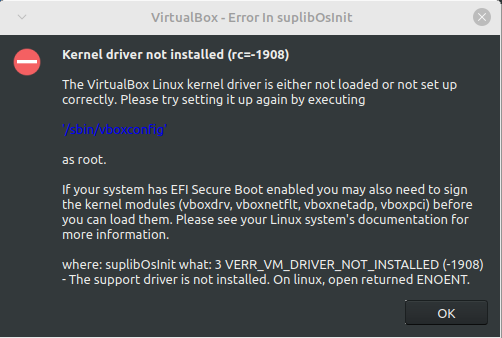
I tried looking into this myself but I couldn’t really find much about this error. The only solutions I could find didn’t work for me. The first one was to use mokutil but at the point where I was supposed to run sudo mokutil --import MOK.der it gives me the error message “Failed to get file status, MOK.der” even though I did everything it told me to do. The other one was to disable secure boot and then run sudo '/sbin/vboxconfig' but even though it looked like it worked, I’m still getting the error message. I have re-enabled secure boot, so you don’t have to worry about that.
Is there something else I can try or does VirtualBox not work in Linux Mint for some reason?
virt-manager is just the GUI. I often use it to control remote servers, so I can see why it doesn’t install the actual libvirt system as well. Could do with a better warning and explanation, though, but that’s the case with so many Linux GUIs.
You definitely don’t need to build anything from scratch. I believe
apt install qemu qemu-kvm libvirt-bin libvirt-daemon-system libvirt-clientsbridge-utilsshould pull in all dependencies you need.If you get prompted for passwords excessively, add your user to the libvirt group (either through the Mint GUI or the command
sudo usermod -aG kvm $USER). After logging out and logging back in you shouldn’t be getting any permission problems.