

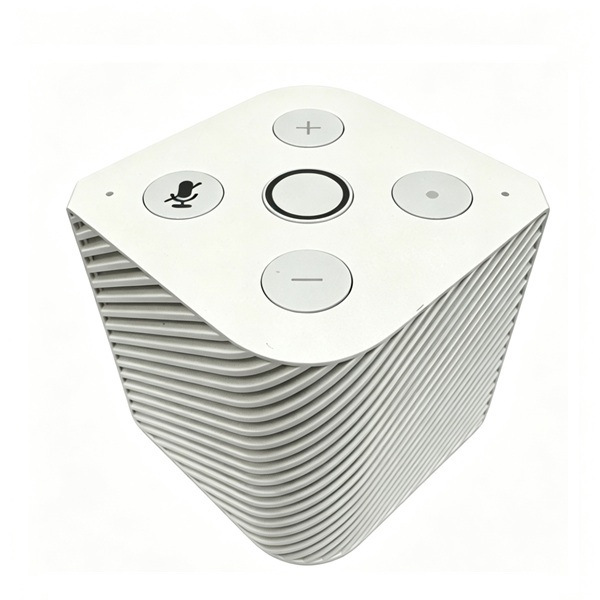
243
PineVoice Smart Speaker - PINE STORE
pine64.comFeatures: Supports local wake word detection Dual microphone array Provides audio volume control and hardware microphone mute buttons Default firmware supports Wyoming Satellite protocol For more info, please visit PineVoice wiki page: https://wiki.pine64.org/wiki/PineVoice About: CPU: Bouffalo BL606P (1x T-Head C906@480 MHz, 1x T-Head E907@320MHz) Memory: 32 MiB pSRAM, 788KB SRAM Storage: 16 MiB Flash Wireless: Wi-Fi 802.11 b/g/n, Bluetooth 5.x Dual-mode (BT+BLE) Package: Includes USB-A to USB-C power cable Dimension: 65mm x 65 mm x 66mm PLEASE NOTE The PineVoice still in early stage development cycle and may suffer on some performance issues such as wake word detection. Please refer to wiki page for regular firmware update Warranty: 30 days
I just set two of these up. I’m not a HA guy so my HA server only has these assistants, my Sonos system, and Music Assistant set up.
I’m still fussing through setting up tasks, but it’s slowly turning into
AlexaJarvis.I have it set up to play, pause/stop music from music assistant with a really hacky yaml script.
It can tell me the weather forecast.
That’s all local processing with Whispr(stt) and Piper (tts).
For those who want the “tell me the tallest mountain in the world” type of support, the answer is cloud llms. I tried ollama on my PC, but it’s just too slow. I have an opencode go subscription and that works pretty well with deepseek-v4-flash. You can also use a standard open ai api key with one of the nano or micro models.
It works, not quite as good as Alexa, but it’s not bad.
How does music sound on it?
I use Sonos speakers to play music, so the device is not a speaker for music output. It’s just for commands received and response. I read that it doesn’t support playing music yet. The speaker is clear for voice though.
What does any of that mean?
It’s a rundown of the programs you need to run to make an Alexa replacement with Home Assistant connected to these smart speakers. You speak the wake word, and these speakers listen, then what? The speakers then send your audio file to your PC running Home Assistant, and that file gets sent to a program called Whisper, which parses your audio into text. Then you can have it either verbatim do commands (eg, “turn on the kitchen lights”), or run that text through an LLM, which you can run locally on a program called Ollama (it runs a few different flavors of local LLMs from Google, etc). Once the LLM generates a response, you send that text to a program called Piper, which turns the text into an audio file to play back through the smart speakers.
My experience is that the local LLMs are too hard to run unless you have a PC made for them. My Mini PC, which I use to run Home Assistant, had to run such a low quality model the hallucinations made it unusable. I gave it it hour by hour weather data for the day and it for some reason hallucinated temperatures that did not exist and told me to wear a jacket for my 95°F day. They do make LLM ready PCs though.